Family chore tracking and calendar on your TV
Keep the whole family organized — chores, meals, and events synced from Google Calendar and displayed on your Roku TV. No extra hardware needed.
Get it on Roku — free 30-day trialFeatures
✓ Per-person chore columns
Each family member gets their own column. Check off chores with the remote — completion syncs back to Google Calendar instantly.
📅 Google Calendar sync
Pulls chores, meals, and family events directly from Google Calendar. No separate app or extra accounts needed.
📺 Always-on family dashboard
A full-screen display on your existing TV — the same idea as a Skylight or Hearth display, using hardware you already own.
🌤 Agenda + weather
Today's events and tomorrow's forecast alongside your chore columns, so the whole day is visible at a glance.
Already have a Roku? Skip the dedicated hardware.
Skylight Calendar, Hearth, and Mango Display are great family displays — but they cost $200+ upfront, need their own wall space, and Mango Display doesn't even run on Roku. If you already own a Roku TV or Roku streaming stick, Family Check-In gives you the same always-on family dashboard without buying another device.
See how Family Check-In compares to Skylight and other dedicated displays →
See it in action
Each family member gets their own column. Point the remote, press OK, and the chore is checked off — synced straight back to Google Calendar.
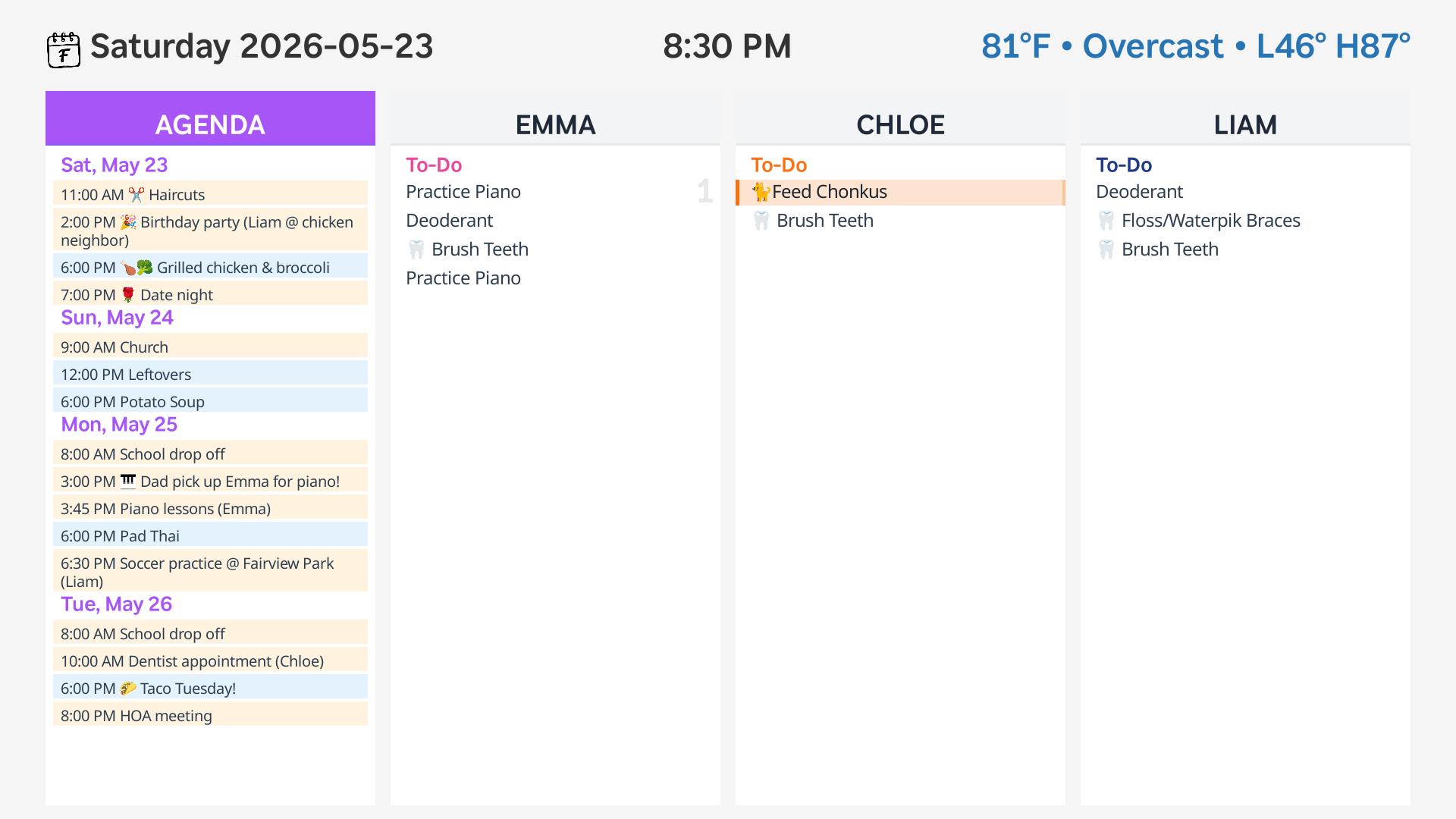
Navigate to a chore
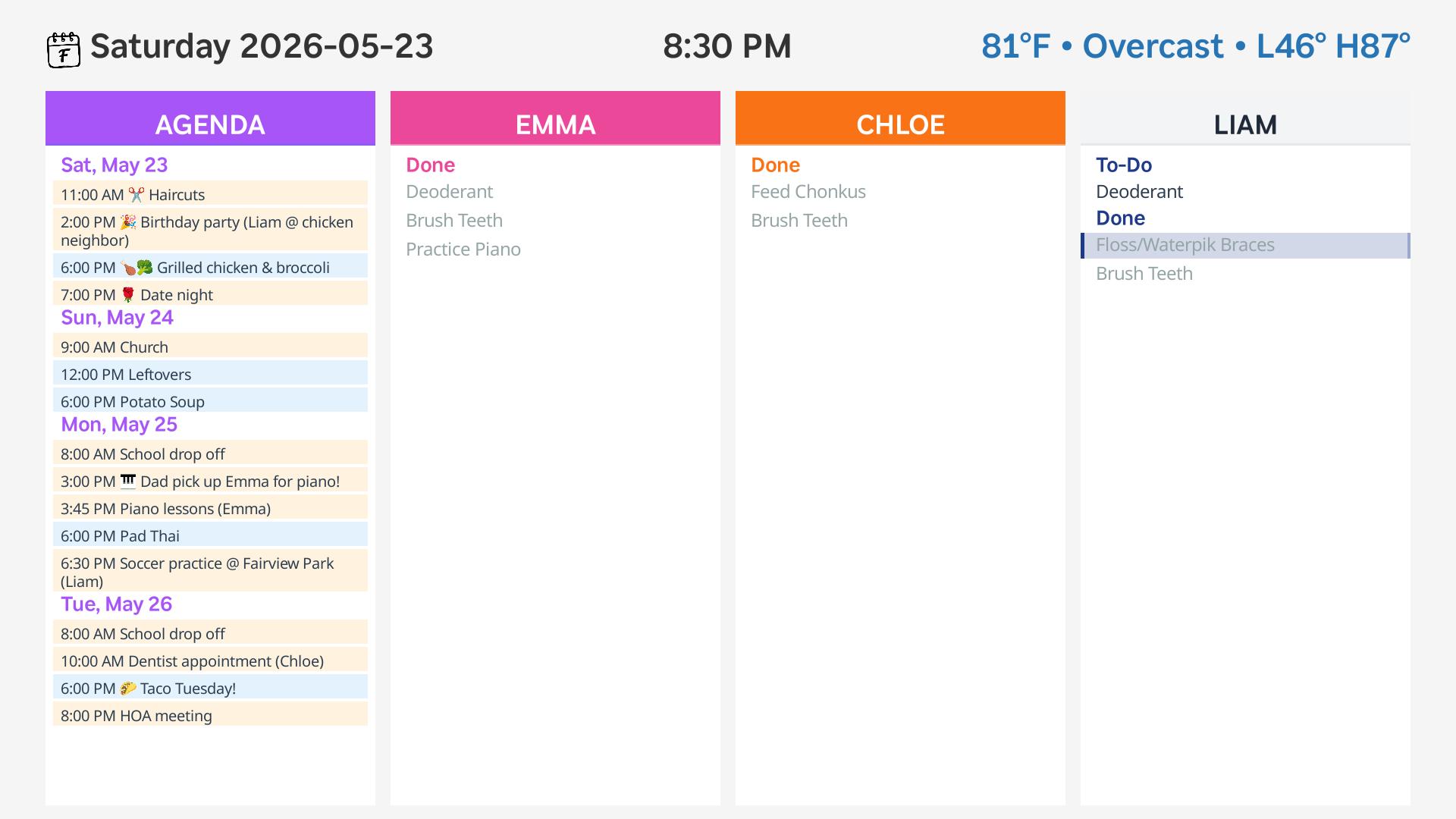
Every family member gets their own column
Quick setup
- Install Family Check-In from the Roku Channel Store
- Open the channel on your Roku device
- Follow the on-screen instructions to connect your Google Calendar
- Configure your calendars in the settings menu:
- Agenda calendars: Select one or more calendars to display on the left side (family events, meals, appointments)
- Chore calendars: Select one or more calendars for chores. Use square bracket tags to assign tasks to family members (e.g., "Take out trash [John]"). The event's end time determines when a chore is considered "due".